
Capture
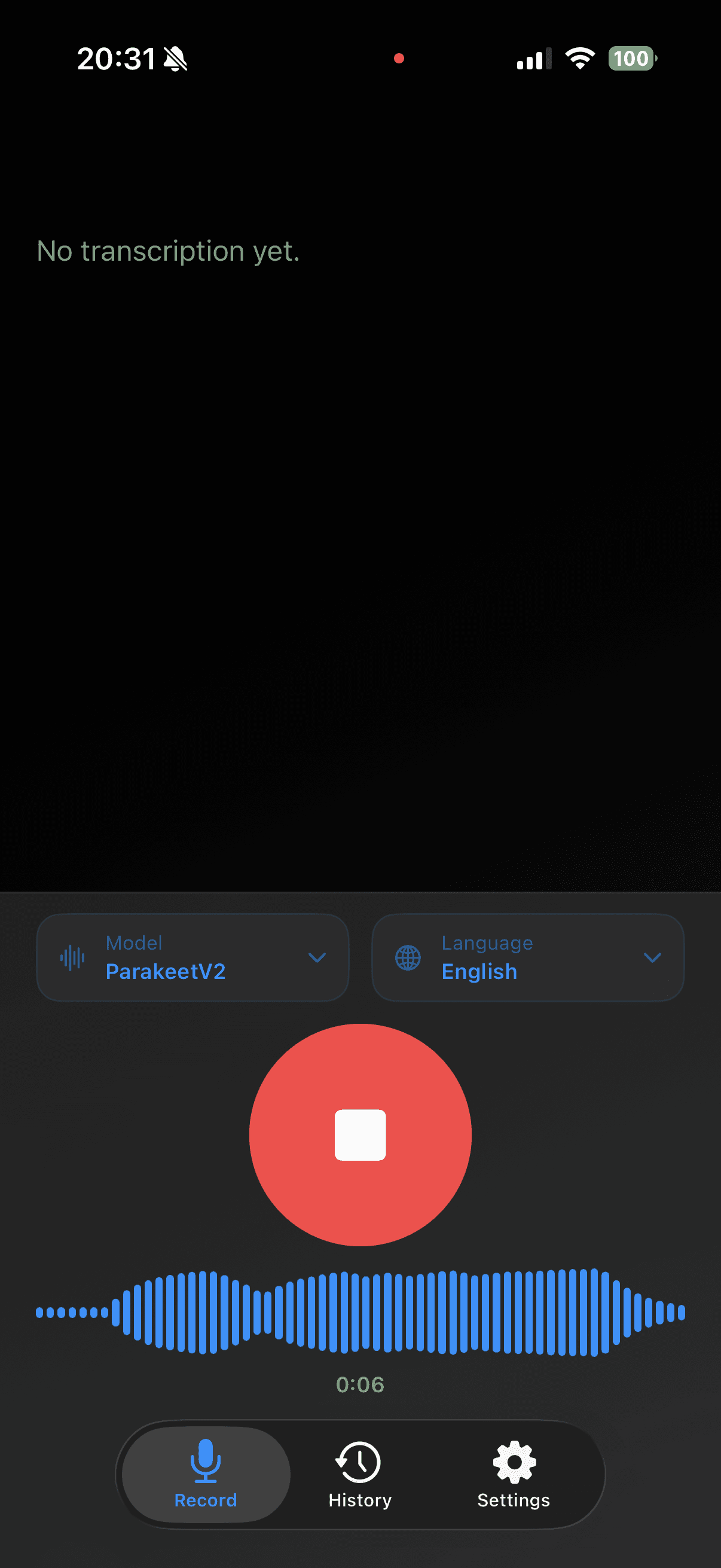
Start recording instantly and keep model and language controls close.
Veura helps you capture ideas, transcribe speech, review history, and share clean text without leaving your flow. Built for iPhone workflows that need clarity, speed, and privacy.
Capture in one tap
Start recording fast with model and language controls ready.
Review with context
Open detail view for playback, metadata, and quick actions.
Reprocess when needed
Retry the same audio with a different model or language.
Keep data local
Core transcription runs on-device by default.


Start recording instantly and keep model and language controls close.
Turn voice into readable text on-device with the model that fits your workflow.
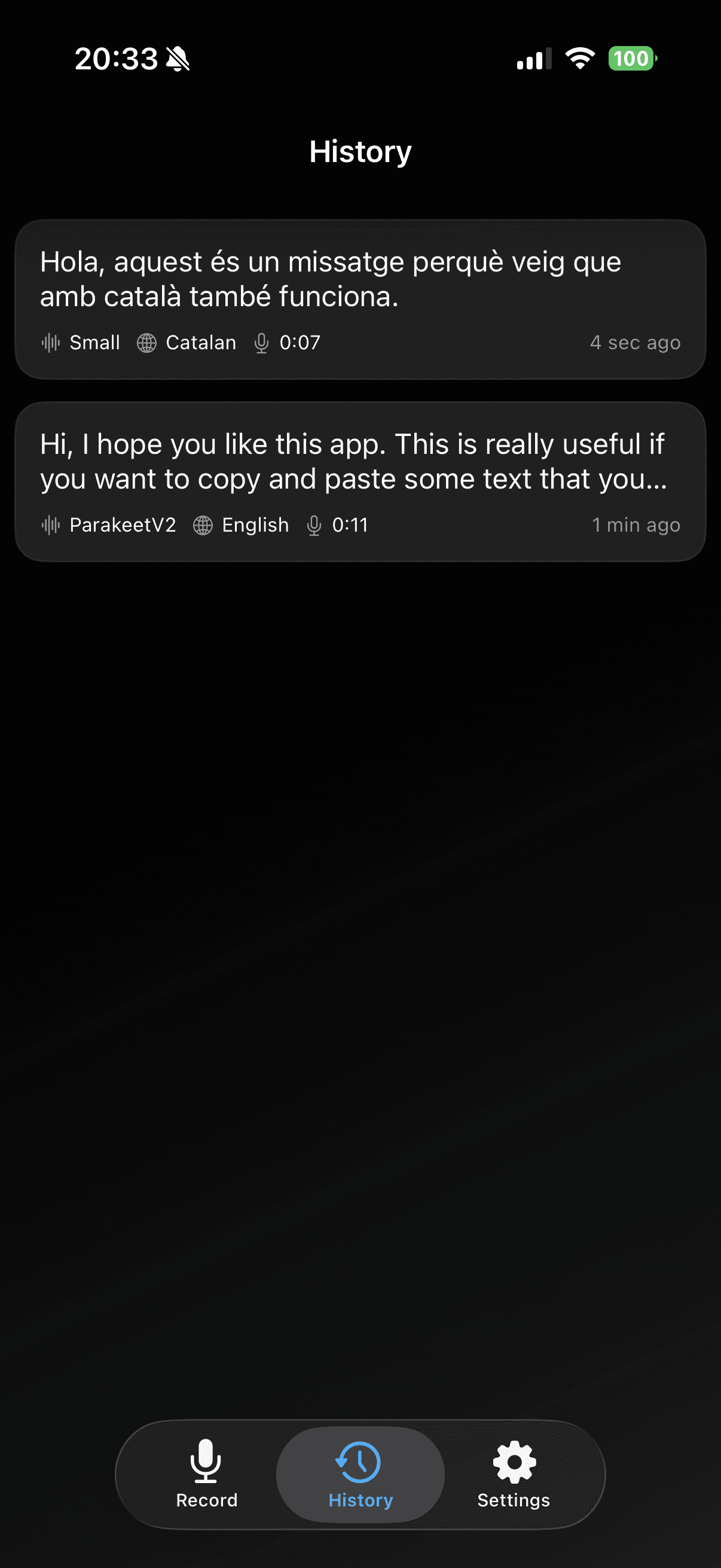
Review previous transcripts by language, model, and recording duration.
Send long voice notes from other apps directly into Veura for transcription.
Record
Veura keeps model and language selectors in easy reach, so you can start capturing ideas without setup friction.
What you can do
Quick launch
Open Veura directly from Action Button and Shortcuts when you need to capture ideas quickly.

Transcribe
Get readable transcript output, playback controls, and metadata in one view so you can review and share with confidence.
Detail screen
Reprocess
Re-run the same recording with another model or language when you want a more accurate result.
History
Browse recent transcriptions in one timeline with language, model, and duration context visible at a glance.
History view
Models + Settings
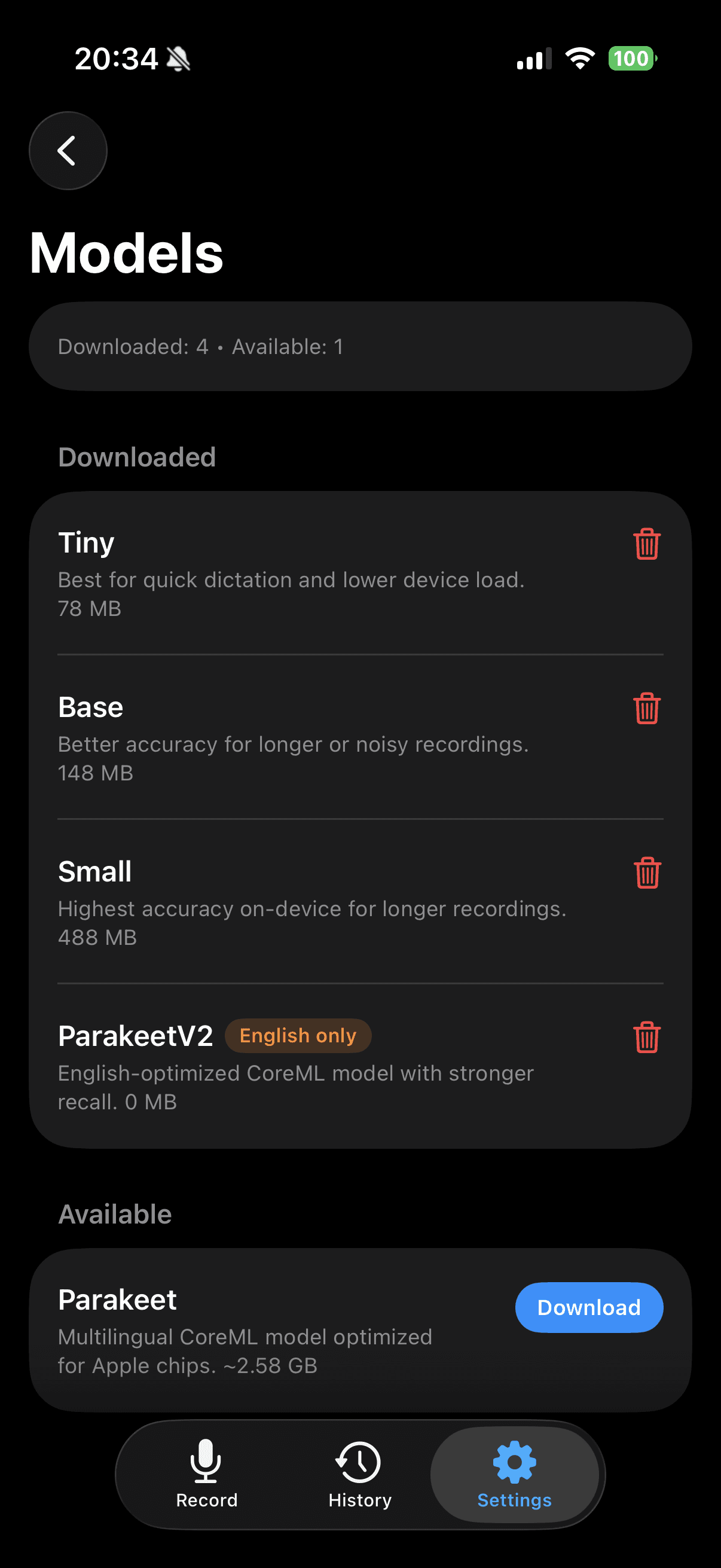
Veura gives you a dedicated model manager and default settings so you can tune speed, accuracy, and language behavior for daily usage.
Model controls
Defaults
Set default model and language, then use Action Button shortcuts for faster capture.
Share Extension
Share from apps like WhatsApp into Veura, choose model and language, and continue to full transcription with a clear handoff.
How it works

Built for daily voice workflows
Download and switch between Tiny, Base, Small, and ParakeetV2 from one clear settings flow.
Set default language, keep only relevant languages active, and match each model to your use case.
Run the same recording again with a different model or language when you need a second pass.
Launch quick dictation from Action Button and continue workflows with iOS shortcuts.
Take long voice notes from messaging apps into Veura and convert them into clean text quickly.
Core transcription runs on-device and your history stays local so your voice data remains in your control.
Privacy by design
Veura is designed to keep transcription local and practical. Your workflow stays fast without sending core transcription content to external AI APIs.
Core principles
Need details?
Read the full privacy policy for data handling, retention, and sharing behavior.
Open privacy policy
Download Veura and run your full record, transcribe, history, and share flow in one focused iPhone app.
