
Pair on a physical iPhone
Find a nearby Index 01, follow the iOS pairing prompt, and let Veura remember it for later checks.
Add direct ring transfer to Veura’s private transcription and notes workspace. Pair, sync, recover, and continue working with the result on your iPhone.

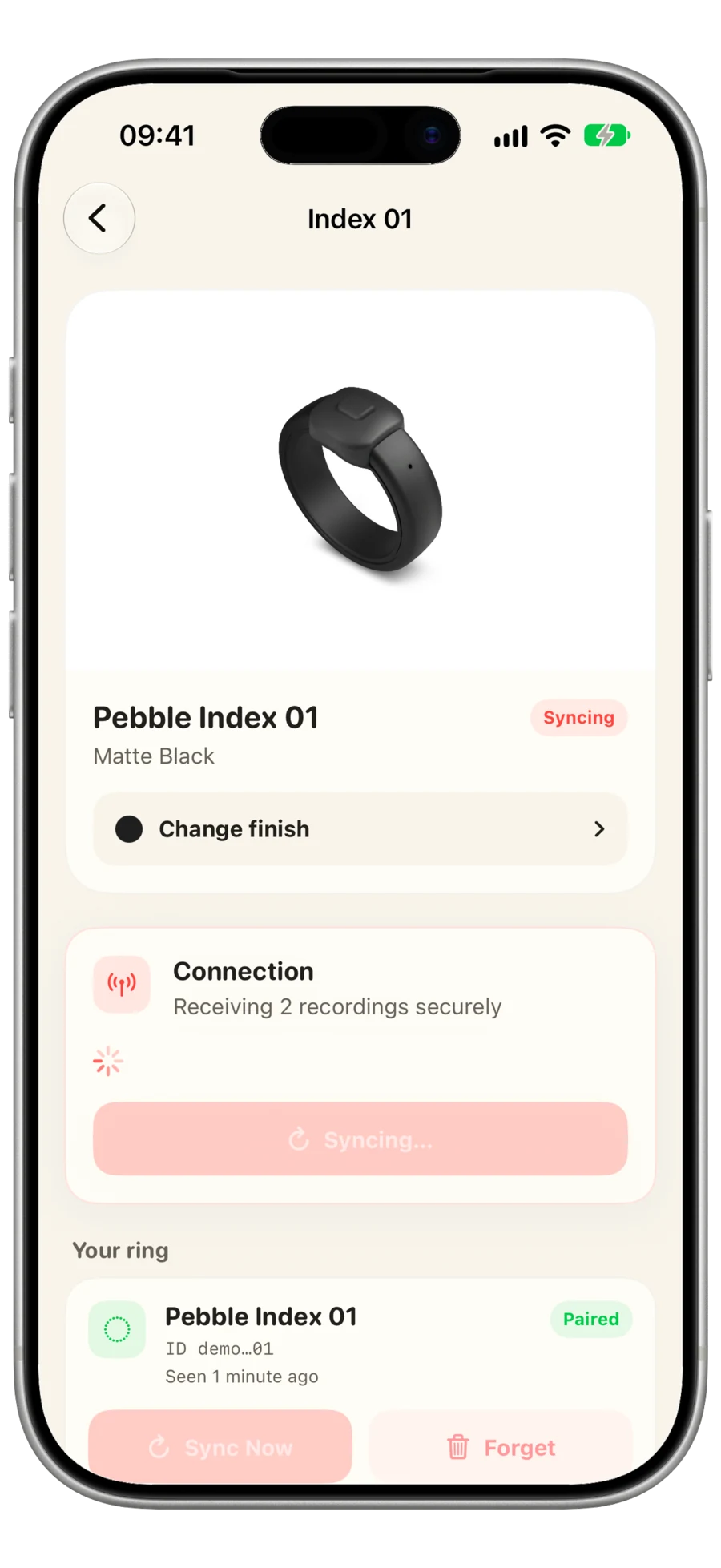
Direct transfer
The transfer pipeline is designed to preserve recoverable local state before the ring recording is acknowledged.
Find a nearby Index 01, follow the iOS pairing prompt, and let Veura remember it for later checks.
Veura saves durable local state before acknowledging a remote recording, so interrupted work can recover.
The selected speech model transcribes the audio, then the note can be edited, organized, enriched, or exported.
Click & Hold
Choose exactly where Click & Hold runs. Apple Intelligence answers on a compatible iPhone, or a selected Hermes connection can use the tools and live services on your own server.
Veura reports an unavailable runtime or connection instead of changing where your request runs.
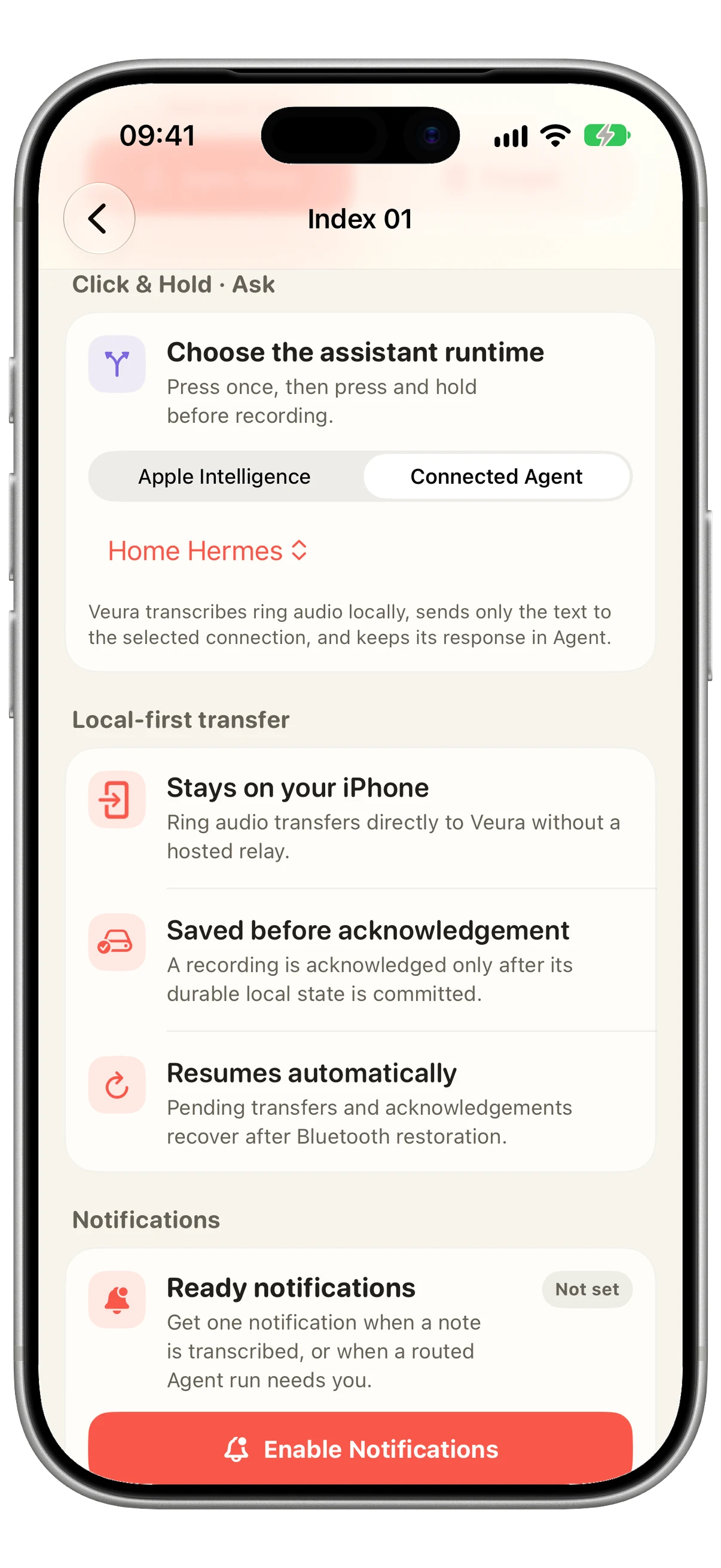
Optional ready notifications arrive after a standard recording is transcribed, when an Apple Intelligence answer is complete, or when a routed Agent run needs you.
Questions
No. Ring discovery and transfer require a physical iPhone with Bluetooth enabled.
Veura transfers recordings directly from Index 01 to the iPhone over Bluetooth. Veura does not use a hosted relay for this transfer.
Veura keeps pending local transfer, acknowledgement, and processing state so recoverable work can continue after Bluetooth or the app becomes available again.
You choose Apple Intelligence on the iPhone or one tested Hermes Agent Connection. Agent requests are transcribed locally before text is sent. Veura never silently switches to a different runtime or connection.